Rollodex
A universal acronym directory for the Ministry of Education
Project Type:
Client Work (Ministry of Education)
Timeline:
9 weeks (June 2026 - August 2026)
Tools & Skills:
User Research
Design Engineering
Supabase
React+Vite
Team:
Web Designer (My role)
Context
The Ontario Public Service (OPS) is full of acronyms, but there was no single place to find information about them
When I joined the Ministry of Education, one of the first things I noticed was how much of the language was based in acronyms. Whether in emails, live webpages or documents, making sure acronyms were used properly was a major concer in the OPS, and a large painpoint for new and experienced staff alike.
While there existed makeup solutions, none of the provided resoucres fully help solve the problem, and ended up causing more problems than they solved. Therfore, I decided to design and build a new solution.
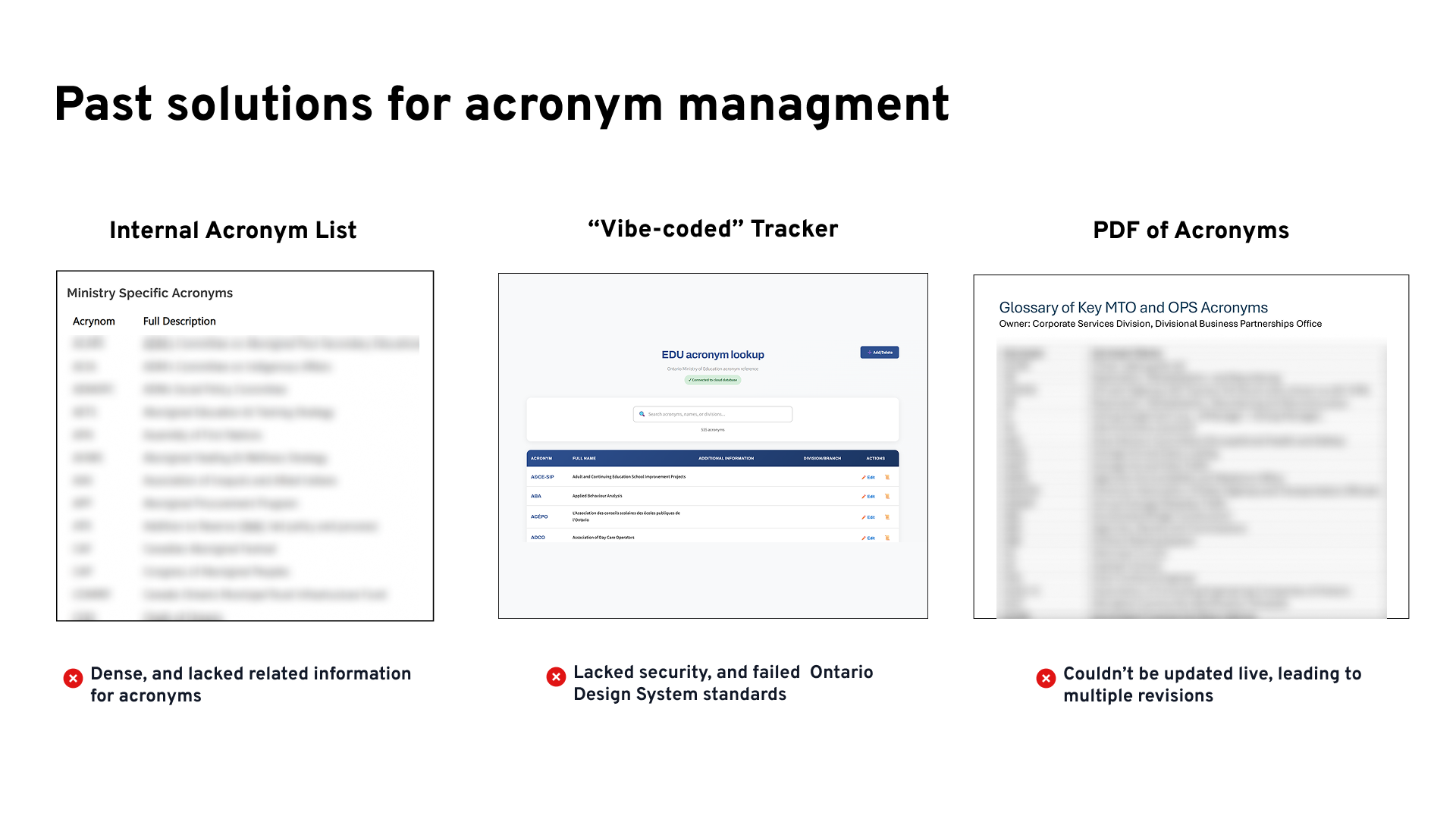
The real gap was not the lack of a list. It was the lack of a source of truth that was easy to search, secure, and could be maintained by the people who actually use the acronyms.
Solution
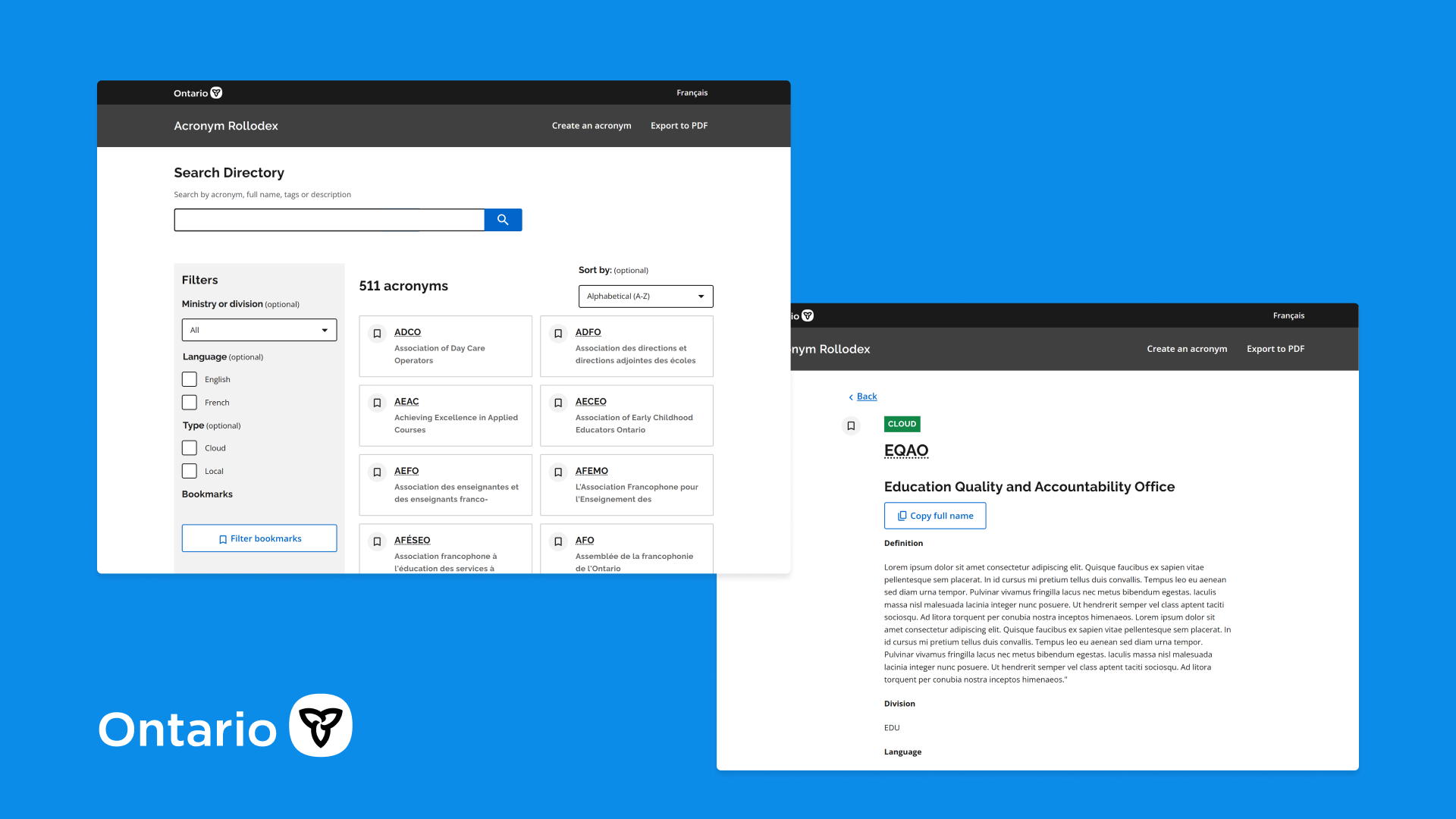
Rollodex is a single, searchable directory that standardizes how acronyms are updated and used across the Ministry of Education
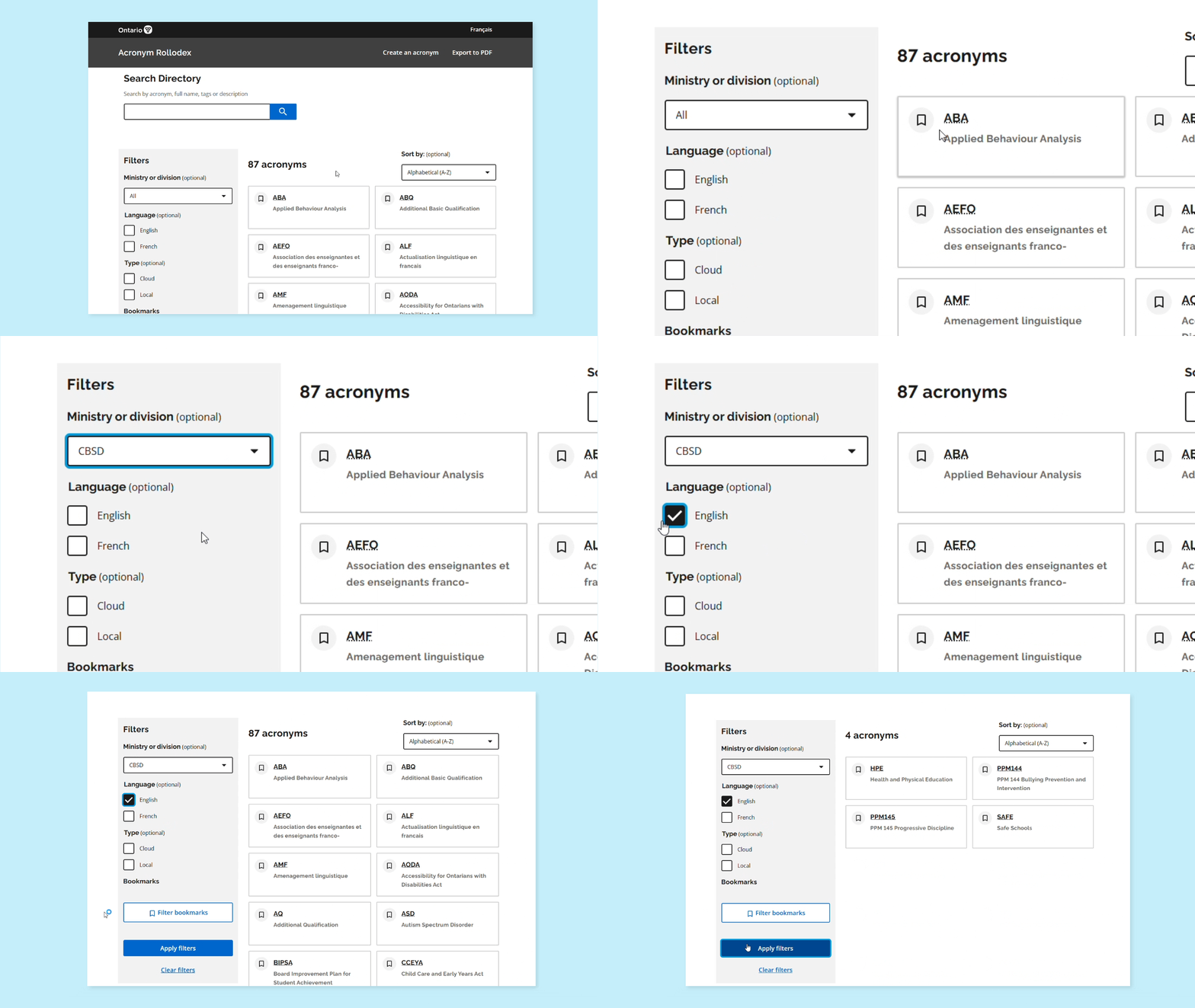
Find any acronym in seconds
Instead of scrolling a dense list, staff can search by acronym, full name, tags or description. Results update instantly and can be sorted, so the answer is usually the first card on the screen.
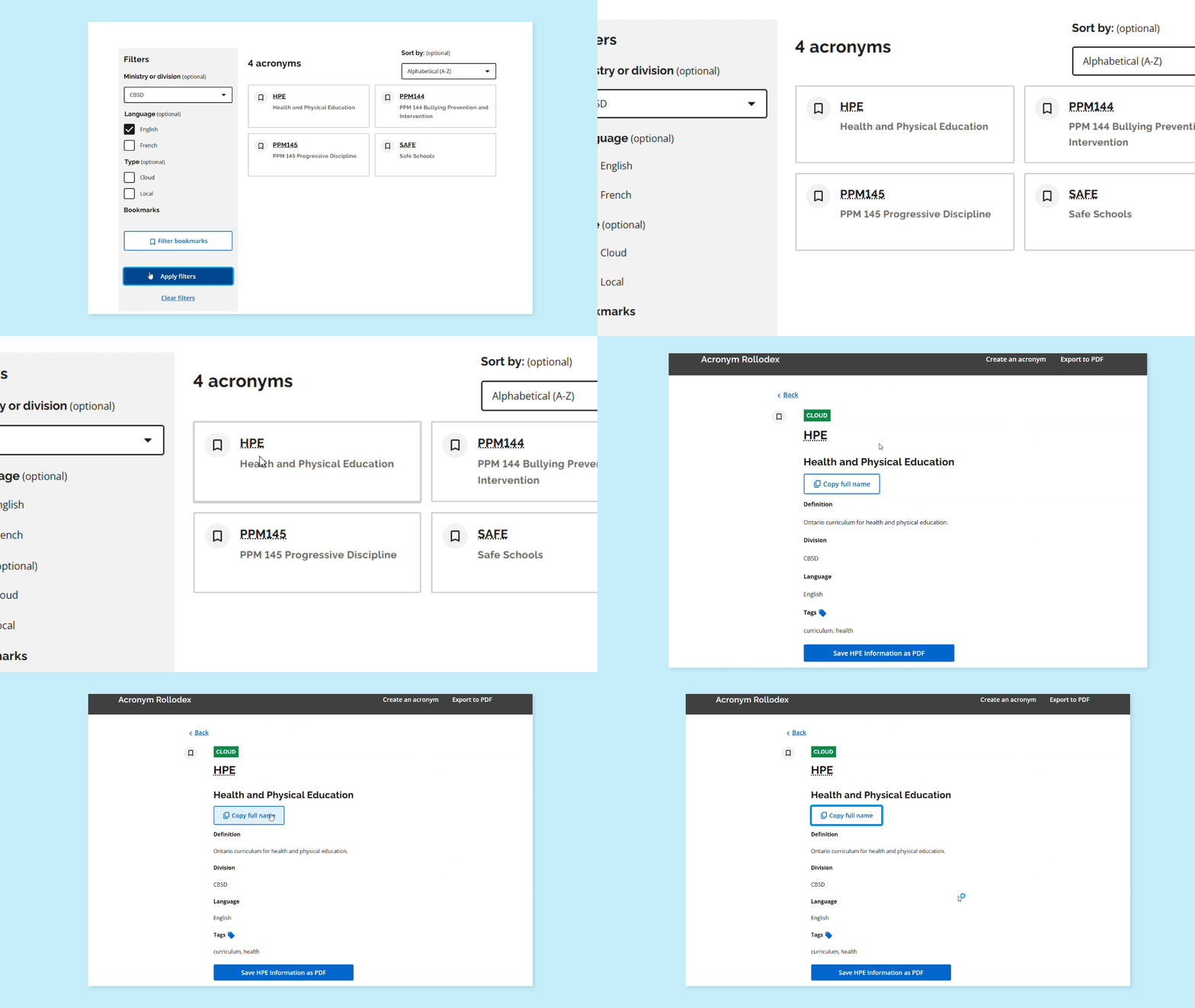
Narrow results to what matters
Filters for ministry or division, language, and cloud or local acronyms cut hundreds of results down to a handful. Bookmarks let people keep the acronyms they use every day one click away.
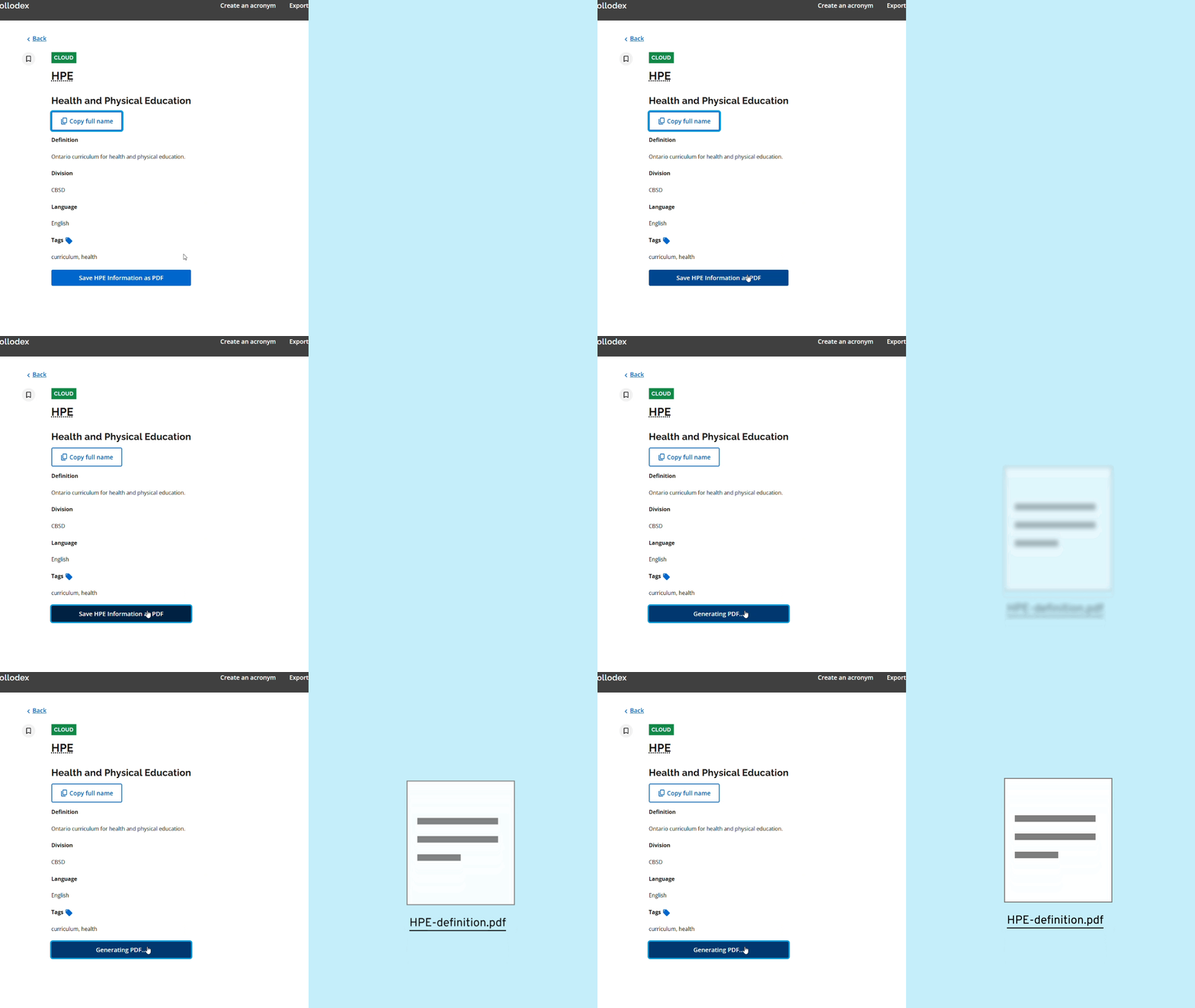
Context, not just a full name
Each acronym has its own page with a definition, division, language and tags. Staff can copy the full name straight into a document, or save the entry as a PDF, replacing the old glossary that was always out of date.
Testing
Focusing on the Ministry of Education, not the entire OPS
Since I was working with the Ministry of Education, I was able to focus on the needs of the Ministry of Health, rather than the entire OPS. This allowed me to focus on the needs of the users, and to design a product that is specific to the Ministry of Education. This however came with the tradeoff that any acronyms that were not specific to the Ministry of Education were not included in the product, for example an acronym that was used in the Ontario Public Service, but not the Ministry of Education. This was a tradeoff that I was willing to make, as I felt that it was more important to focus on the needs of the Ministry of Education for a beta launch, before expanding to the entire OPS
Testing inside real workdays, not in a Figma file
Due to the time constraints of the project being less than 10 weeks, I was unable to conduct traditional user testing. Instead, I deployed test versions of Rollodex with Cloudflare Pages, in order for users to test the product in their daily routines. Each design variant had its own test link, which let colleagues use Rollodex in their daily routines while I fixed issues and refined the design between rounds. This allowed me to get real feedback from users about the product, and to refine the design based on their needs. This did come with its own challenges, as I had to ensure that the test versions were stable and working enough to allow users to use the product in their daily routines.
Testing inside real workdays, not in a Figma file
Due to the time constraints of the project being less than 10 weeks, I was unable to conduct traditional user testing. Instead, I deployed test versions of Rollodex with Cloudflare Pages, in order for users to test the product in their daily routines. Each design variant had its own test link, which let colleagues use Rollodex in their daily routines while I fixed issues and refined the design between rounds. This allowed me to get real feedback from users about the product, and to refine the design based on their needs. This did come with its own challenges, as I had to ensure that the test versions were stable and working enough to allow users to use the product in their daily routines.
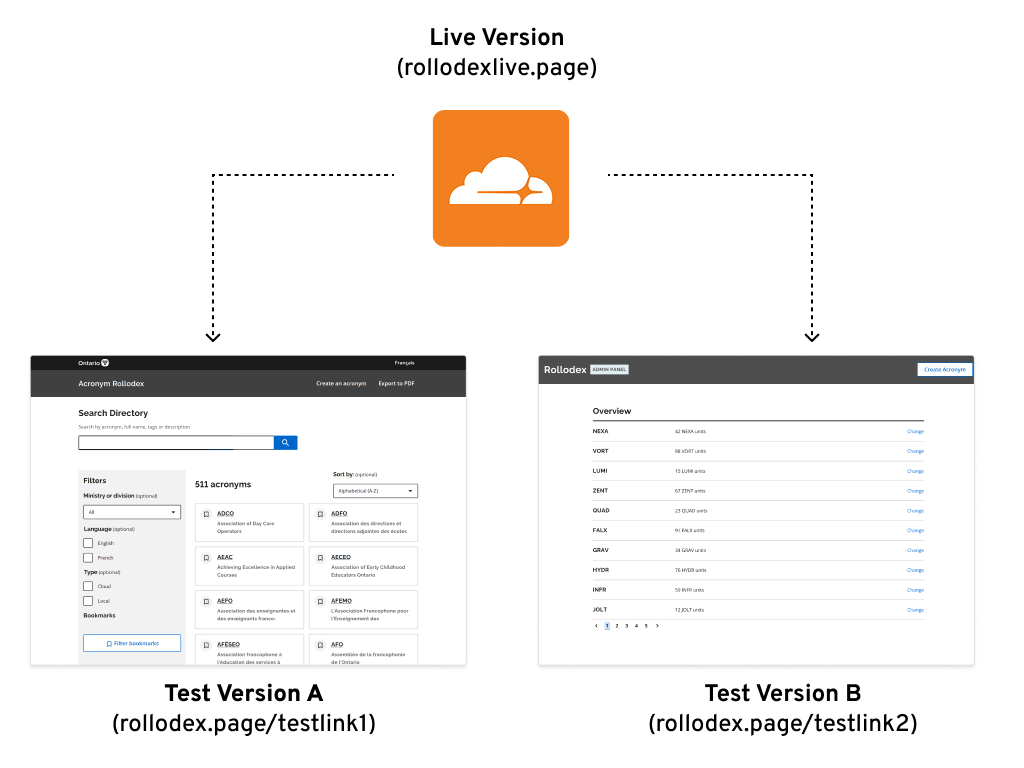
Watching people use it for real surfaced two needs that a static prototype would have missed.
Creating a central source of truth
The Rollodex is only as good as the data it contains. To avoid ending up with another out-of-date list in the future, I built an admin dashboard for managing acronyms globally. This allows the CO or the head of each department to manage the acronyms for their respective ministry or division, so the people closest to the acronyms are the ones responsible for them.
What about acronyms only my team uses?
Not every acronym belongs in a ministry-wide database. Local acronyms let users save team-specific terms to their own list, so they can still rely on Rollodex without waiting for an admin to approve an entry.
Impact
Creating a product that supports the people who needed it most
The feedback that meant the most came unprompted, in messages from colleagues after launch:
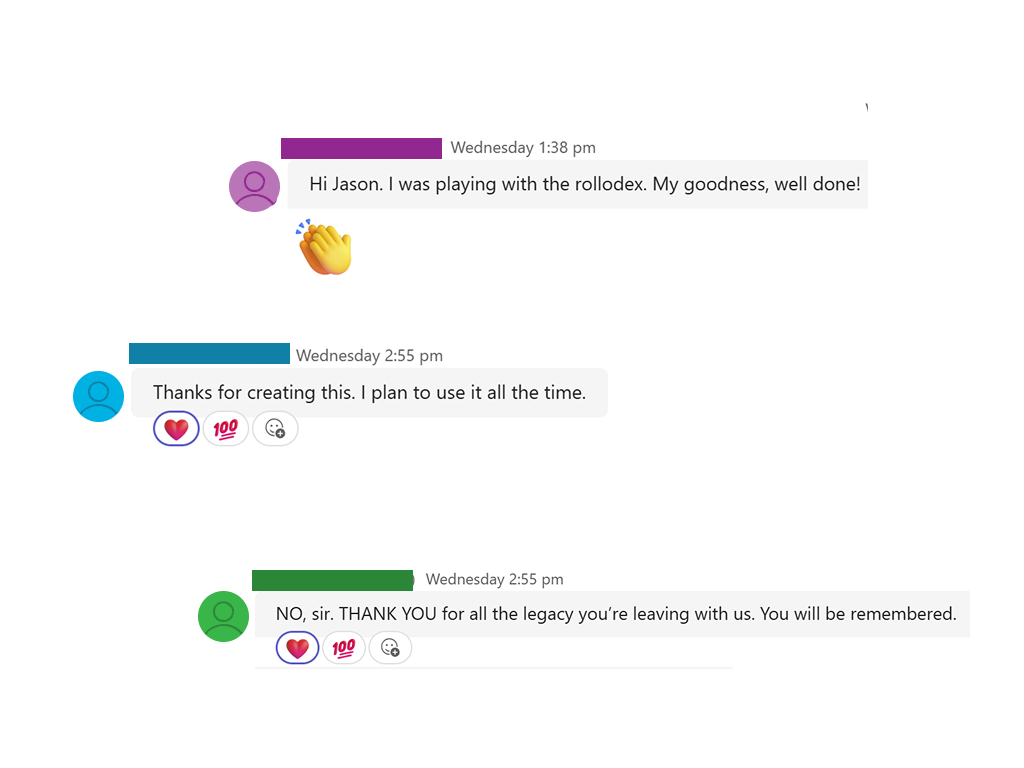
“Thanks for creating this. I plan to use it all the time.”
What I learned
Designing inside the codebase changed how I think about testing. Shipping real, working versions early gave me honest feedback about how the tool fit into people's work, not just how it looked. It also meant the product was maintainable from day one, which was the problem every past solution had failed to solve.